

Space Art has helped me kick down a few creative doors within my brain, and one of the pleasant side effects over the last couple of years was my re-discovery of the joy of drawing cartoons. Funny pictures have always found their way into the sidelines of my scribbles in notebooks, and occasionally they’ve made their way into design presentations. I even went so far as to produce a comic strip years ago, during college, which racked up a respectable stack of rejection letters from all the major syndicates of the day. (more…)
Tag: Digital Painting
-
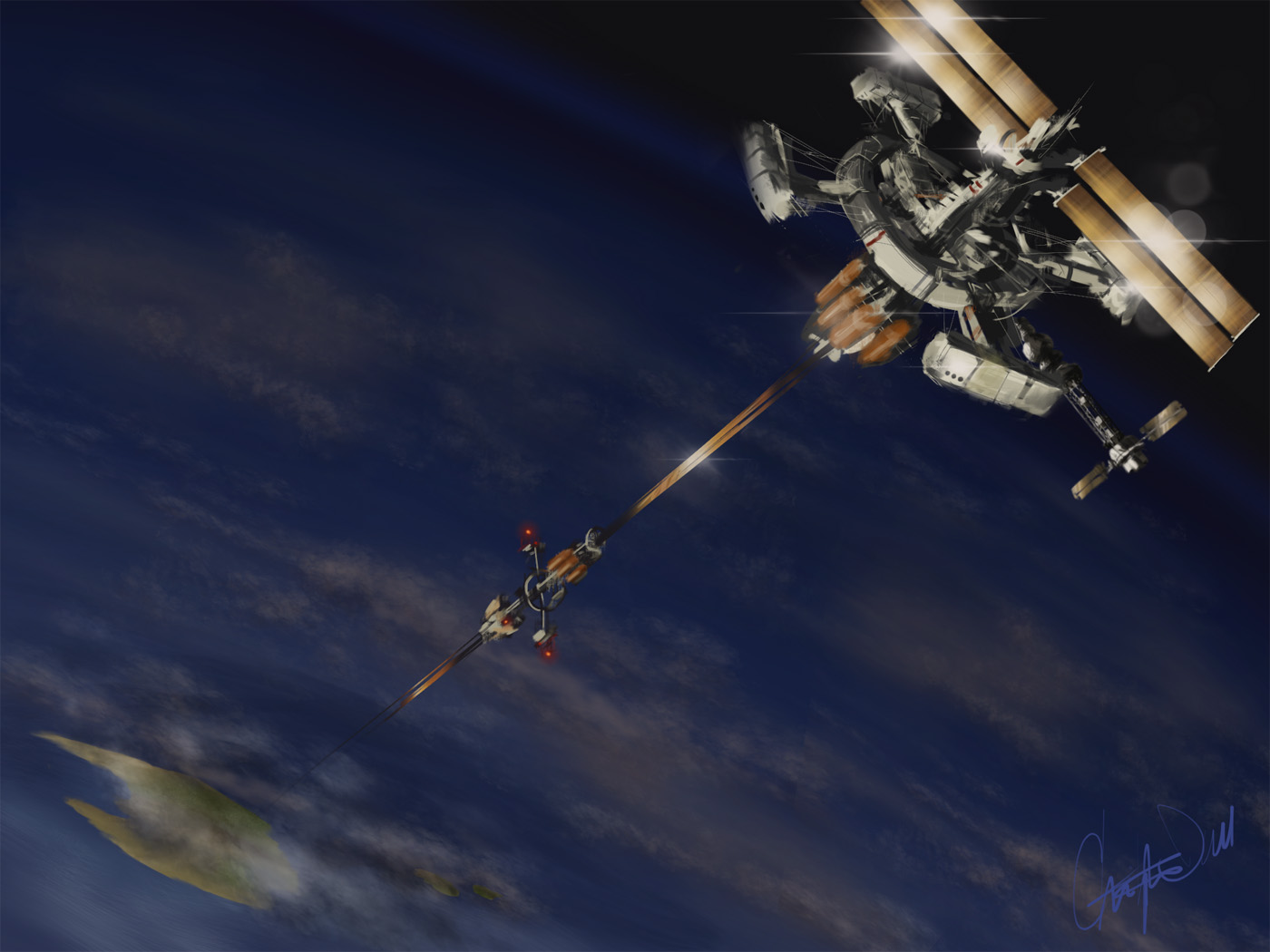
MUSE Magazine Cover Art
Keep an eye out for the April 2014 issue of MUSE Magazine, which features articles about Space Elevators. My Space Elevator piece is to be featured on the front cover!

A Space Elevator is literally an enormous elevator from the ground on Earth to a fixed location in space. People and hardware are delivered to space with a train-like elevator car, eliminating the need for expensive and dangerous rockets. The idea goes back to famed Science Fiction author Arthur C. Clarke, and more recently Robert L. Forward who worked on building some of the first real investigations on such a technology before his death in 2002.
We are decades away from building such a device, but the idea is being pursued in spite of the fact that no material known to science is strong enough to be used as a 600 mile cable from the ground to space. Yet.
It’s possible that a space elevator will be built on our moon, which would be a far simpler engineering task. Time will tell, in the meantime I hope you enjoy my Space Elevator piece and be sure to check out MUSE magazine when it hits the shelves.
Cheers!

-
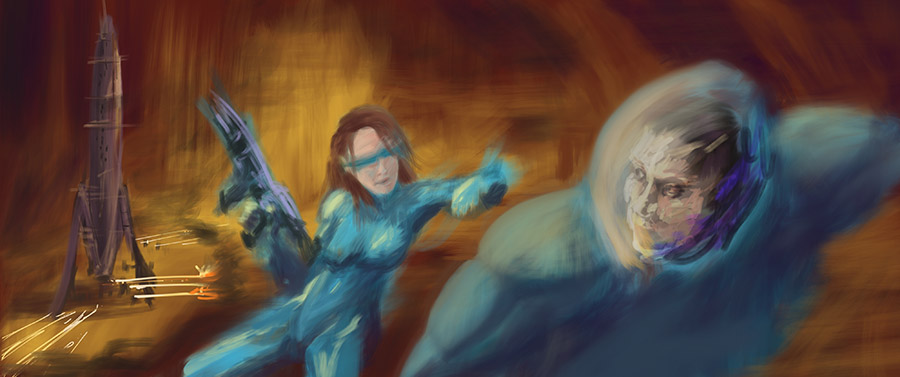
Digital Sketches
While clearing off some space on my iPad, I found a bunch of sketches that I’ve never posted. When I sit down to paint, I always warm up with some sketches. Doesn’t matter if I’m working in a digital format or traditional media. The warm up helps me get into the groove.
Sometimes these sketches take on a life of their own and become finished pieces. Other times I just lost interest or the idea didn’t quite gel the way I wanted. And some of these were merely an exercise to try out a style or trick. As I look back over the last year, I’ve probably spent too much time in the quick sketch stage but it’s helped me knock off the rough corners here and there.
So here’s a gallery of quick studies to enjoy:
Sketch Gallery


-
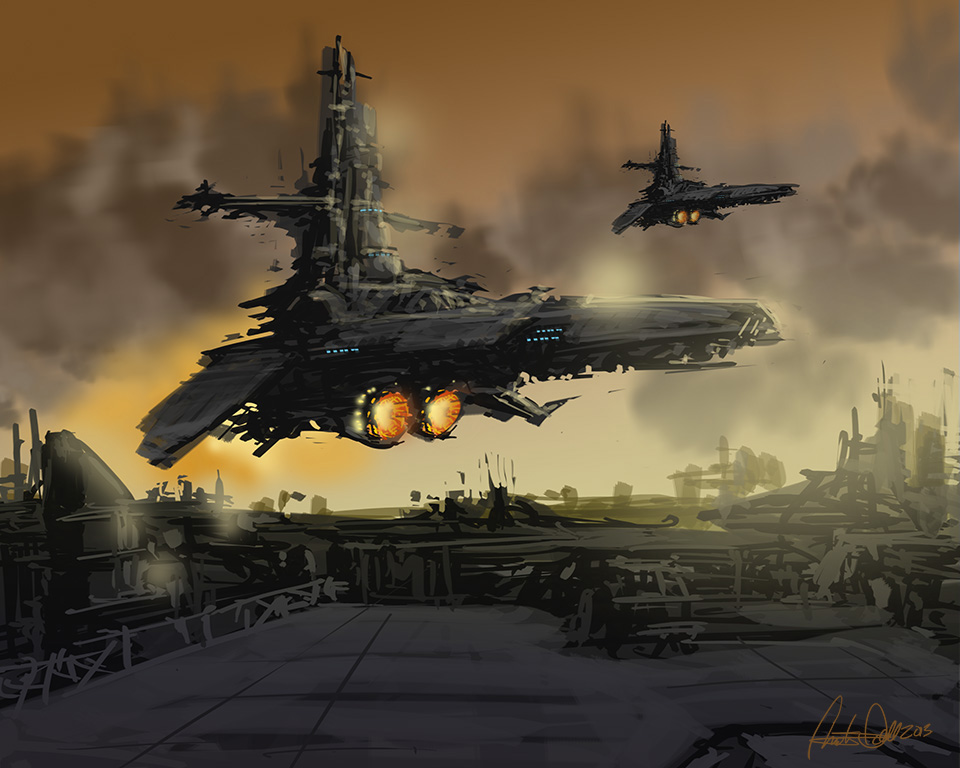
Spaceship Speed Sketch

Felt like a spacecraft sketch tonight.
Drawn with Photoshop CC and a Wacom Intuos 3 tablet
-
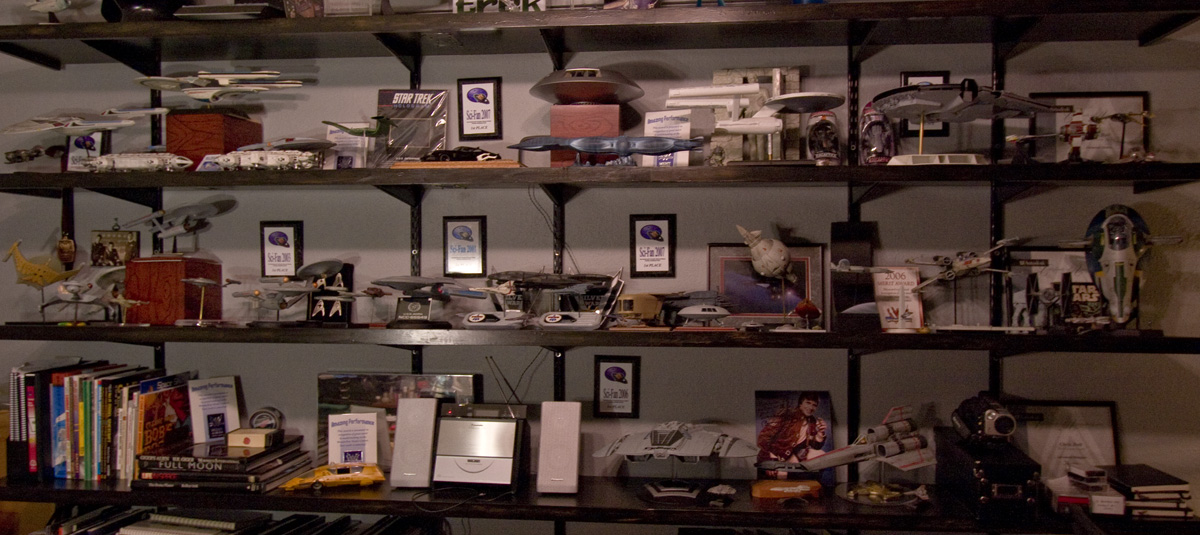
My home studio, The Bunker
“The Bunker” was my favorite suggestion as a name for my home studio, thanks to my pal “Crazy Joe” Nedjberger. It won out over some equally good suggestions like “The Dollhouse”, “Dollshop”, “BlackBirdCD’s Cave”, and so on.
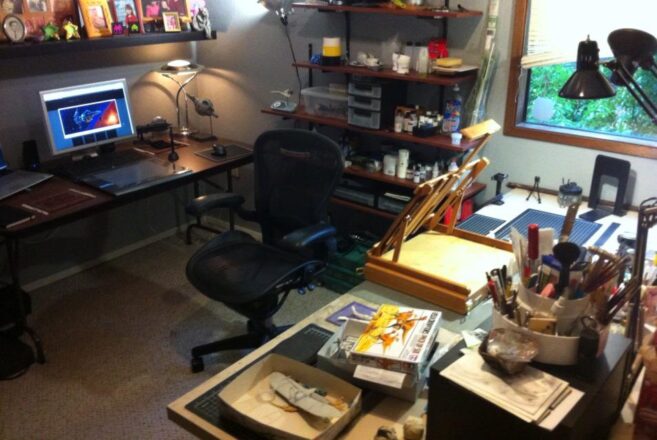
The room itself is the fourth bedroom of our split-level house in Bothell, Washington, and the largest bedroom in the house. It was partitioned by one of the previous owners in the originally unfinished downstairs. For years it’s been the home office, craft area, and model-building space all crammed into one. Having such a dedicated room is one of the luxuries our modest house offers, but as is the nature of such a space it was rarely comfortable to walk into, much less work-friendly than it needed to be for my new career as a Freelance UX Designer and artist. Let’s face it, the hobby room is the last to be sorted out and organized unless it’s used on a regular basis.
Gone were the piles of half-started, in-progress spaceship models, paperwork and tangles of cables from long-forgotten computer hardware. That’s all out in the adjoining family room now, or in the refuse pile. That which is to be retained has been brought back in carefully, put in its appropriate place, as I re-configured the desks to be more efficient for my work.
Digital on one side:
And my workbench for painting and model building on the other:
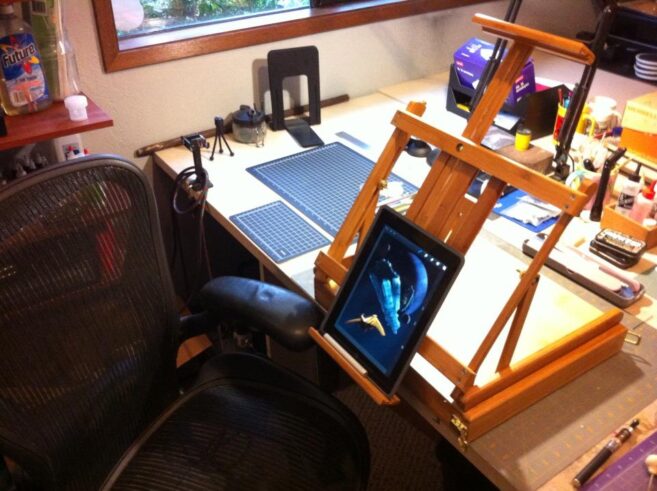
The feature image of this post shows the shelves that I use to display finished models, awards, and books that I turn to regularly for the work that goes on here. It still needs a little love, but that’s for a later date. The photos only show 2/3 of the overall space, the rest is dedicated to my wife’s craft station, and a large closet. Four people can be seated at the central island where the easel is sitting. It’s a good sized room.
Originally planned as a weekend project, the cleanup has extended into nearly ten days of careful re-organization using the existing furnishings. It will never look this clean again, but I’ve already noticed how the change has improved my own efficiency, and my own demeanor when I’m in the space.
If there’s any lesson to be gained from this exercise, it’s gotta be one of the most basic – “clean your room”.
-

Welcome 2013 – New Year, New Opportunities
2013 brings with it for me a new direction for my career as a designer and an artist. I will continue to provide User Experience guidance for software companies as a consultant through my own company, Rendezvous Design. In addition, I’ve created a plan that will allow me to devote the time and energy necessary to build a name for myself as a multi-faceted artist. The fact is, I’ve always been an artist but I’ve never put my foot down on the accelerator and made it part of my life. Instead of obsessively sketching these scenes in every notebook within reach, or building scale models in the confines of “The Bunker” – my workshop at home), it’s time to explore a path I’d not considered viable in the past. Now, in the midst of crushing economic conditions I’m taking a bit of a leap of faith. Faith in my own skills.
I must be mad.
In preparation for this transition, I’ve been filling out the portfolio on this site with my latest work. It remains mostly Space and Science Fiction imagery, but I’ve discovered the joy of painting scenes from real life in and around the Seattle area.
So what’s the plan? At the moment I’m pulling together enough finished pieces to be used as display items in galleries, local venues, and events. I’m in the process of sorting out the technical details of printing these pieces here, to sell on my site and in person. Most of the work I’ve done in the last month is at sufficient scale for excellent reproductions on canvas. In addition, there is a consortium of colleagues that are building their own body of work and we’re discussing the possibility of an organized show later in the year. Scale models will make their way into the mix as well, although the details remain to be sorted out. And, as always, I’m maintaining a program of exercises to build up my skills.
For those who’ve read so far, my thanks for your attention. Now on to 2013
-

New Directions
Today is my last day at Vertafore, a software company where I’ve spent the last year as a User Experience Designer near my home in Bothell, Washington. It’s always a bit sad to leave those you’ve grown to know and have worked with over a period of time, and I am fortunate to have worked with one of the best teams of UX Designers and Researchers in my entire career, but I couldn’t pass up the chance to take things in a new direction.
For me, 2013 marks my return to the freelance world and an exciting opportunity within the e-Commerce space. But that’s not all. This move will provide greater freedom for me to see if I can turn some of my hobbies into something that will support themselves and, more importantly, my family.
I have no illusions that any of this will work out the way that I imagine when I allow myself to dream about the greener grass on the other side of the fence. Although I may have the necessary skills, at least to a sufficiently meaningful level of quality, success or failure will depend on how well (or poorly) I manage the basics like motivation, the procrastination demons, and self-doubt. Luckily I’m gifted with just enough self-delusion to make this sort of thing work out, in the long run.
If nothing else, it’ll be an exciting ride. Cheers to 2013!
-
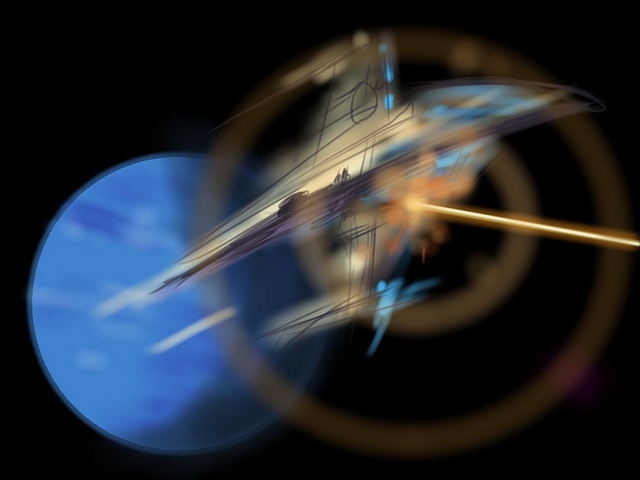
Drawing and Painting on an iPad3
I recently received an iPad3, a thoughtful and quite surprising birthday gift from my lovely wife Stephanie and our daughters Allison and Jessica. That I’ve not yet owned a tablet of any flavor has more to do with shrinking gadgetry budgets, not from a lack of interest.
I’d convinced myself that drawing on an iPad wouldn’t be nearly as rewarding or effective as the wonderful (yet very expensive) Wacom Cintiq line, which I also have not tried out. How wrong was I? Wrong enough to wonder out loud “why didn’t I get one of these sooner?”

I quickly tried out a few of the more popular drawing apps, settling on SketchbookPro and Procreate. Both are powerful enough to let me cut loose with some speed paintings, which allow me to learn the tools quickly while not getting bogged down in fine details that would otherwise derail my efforts.

The trick to drawing with a tablet is to find a good stylus, a pen designed to work with the capacitive touch screen. None of these provide nearly the level of control or performance of a decent Wacom tablet of any flavor, but many give you more than enough control to have a lot of fun. And to have such tools in a small, comfortable form-factor like a tablet makes for a highly convenient art studio at your fingertips.
Luckily for me, I work with a group of User Experience Designers who have already tried out a number of stylii for these tablets. Most feel like you’re drawing with an eraser, although it’s much better (in my opinion) than trying to paint with your fingertips. We’ve had fun trying them all out:

So far, I’ve rather liked the Wacom Bamboo stylus, although the spongy rubber tip means that you really cannot be bothered knowing exactly where your marks will land on the screen. Sure, it will be within the 1/4″ or so area that the tip covers, depending on the angle. I find these are best for loose, impressionist styles.

The Adonit Jot line takes a different approach, giving you a clear disc on the end of the pen. You can see much more of your drawing contact point, making it a far better tool for precise drawing.
In both cases, the more traditional pen-sized stylii work better for drawing than the smaller, more portable ones. Next I will be trying one of the new, pressure-sensitive Pogo Connect Stylii but the price is making me hold off while I spend more time with the Bamboo and Jot.

Drawing and Illustrating on a tablet isn’t perfect, but I’m finding that it’s pushing my learning curve in a good way. I’ve set myself a series of goals, starting with “once good speed painting a day”, meaning something I’m willing to share. I spend between 20 and 90 minutes on any one of these, with some turning out better than others. Already I’ve noticed a tendency to stick with similar color tones and patterns, as well as drawing tools provided by the apps. I don’t mind so much that the theme remains science fiction / astronomy related for now, I’ll be tackling other subjects once I detect that I’m slowing down.

Speed Sketch – some spacecraft

I’m even happy with flat-out copying artwork that I’ve enjoyed – like the image above, which was painted using the cover of the book SPACE ART by Starlog Press (old, old book). I’ve always enjoyed the book’s Saturn painting, and needed a break from blue-tones (didn’t get away from them entirely, but it was a good way to learn some new tricks).

For now I’m sticking with these sketch-level paintings, and having fun with the process. But I’m feeling the need to tackle some of the pieces I’ve listed for the next level – something I’d be happy to print and/or sell.
* UPDATED – I’m finding that I turn to SketchbookPro with the Adonit Jot Pro Stylus for more technical illustrations, and Procreate with the Wacom Bamboo for free-form illustrations. For both the apps, and the pens, each seems suited to a specific role, meaning I’ll be toting both along for a while.


