Tag: Hobbies

  • My home studio, The Bunker

    My home studio, The Bunker

    “The Bunker” was my favorite suggestion as a name for my home studio, thanks to my pal “Crazy Joe” Nedjberger. It won out over some equally good suggestions like “The Dollhouse”, “Dollshop”, “BlackBirdCD’s Cave”, and so on.

    The room itself is the fourth bedroom of our split-level house in Bothell, Washington, and the largest bedroom in the house. It was partitioned by one of the previous owners in the originally unfinished downstairs. For years it’s been the home office, craft area, and model-building space all crammed into one. Having such a dedicated room is one of the luxuries our modest house offers, but as is the nature of such a space it was rarely comfortable to walk into, much less work-friendly than it needed to be for my new career as a Freelance UX Designer and artist. Let’s face it, the hobby room is the last to be sorted out and organized unless it’s used on a regular basis.

    Gone were the piles of half-started, in-progress spaceship models, paperwork and tangles of cables from long-forgotten computer hardware. That’s all out in the adjoining family room now, or in the refuse pile. That which is to be retained has been brought back in carefully, put in its appropriate place, as I re-configured the desks to be more efficient for my work.

    Digital on one side:

    TheBunker

    And my workbench for painting and model building on the other:

    EaseliPad

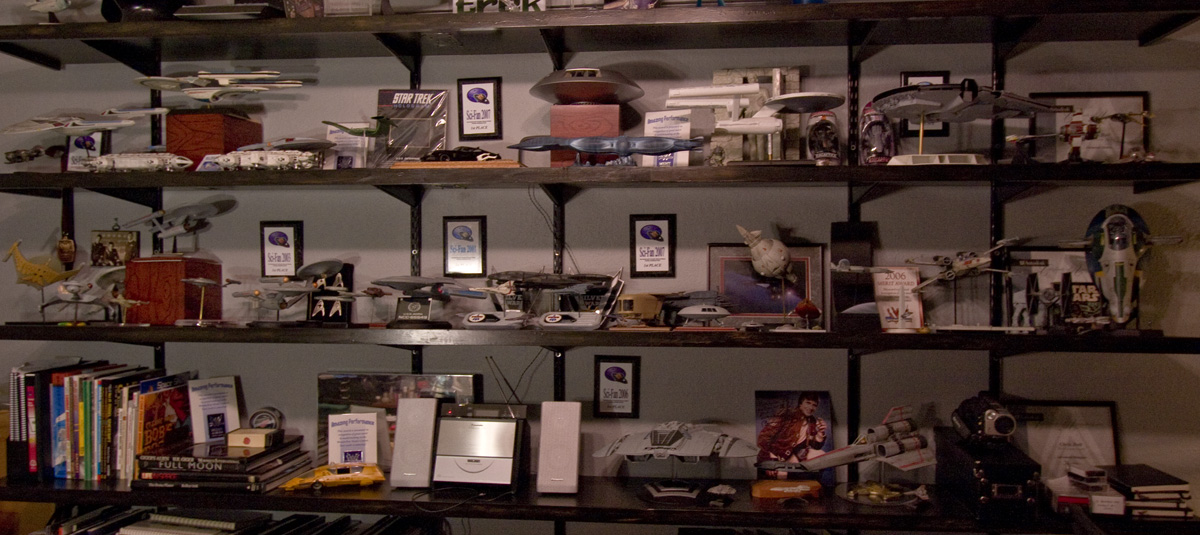
    The feature image of this post shows the shelves that I use to display finished models, awards, and books that I turn to regularly for the work that goes on here. It still needs a little love, but that’s for a later date. The photos only show 2/3 of the overall space, the rest is dedicated to my wife’s craft station, and a large closet. Four people can be seated at the central island where the easel is sitting. It’s a good sized room.

    Originally planned as a weekend project, the cleanup has extended into nearly ten days of careful re-organization using the existing furnishings. It will never look this clean again, but I’ve already noticed how the change has improved my own efficiency, and my own demeanor when I’m in the space.

    If there’s any lesson to be gained from this exercise, it’s gotta be one of the most basic – “clean your room”.
  • New Directions

    New Directions

    Today is my last day at Vertafore, a software company where I’ve spent the last year as a User Experience Designer near my home in Bothell, Washington. It’s always a bit sad to leave those you’ve grown to know and have worked with over a period of time, and I am fortunate to have worked with one of the best teams of UX Designers and Researchers in my entire career, but I couldn’t pass up the chance to take things in a new direction.

    For me, 2013 marks my return to the freelance world and an exciting opportunity within the e-Commerce space. But that’s not all. This move will provide greater freedom for me to see if I can turn some of my hobbies into something that will support themselves and, more importantly, my family.

    I have no illusions that any of this will work out the way that I imagine when I allow myself to dream about the greener grass on the other side of the fence. Although I may have the necessary skills, at least to a sufficiently meaningful level of quality, success or failure will depend on how well (or poorly) I manage the basics like motivation, the procrastination demons, and self-doubt. Luckily I’m gifted with just enough self-delusion to make this sort of thing work out, in the long run.

    If nothing else, it’ll be an exciting ride. Cheers to 2013!

  • Drawing and Painting on an iPad3

    Drawing and Painting on an iPad3

    I recently received an iPad3, a thoughtful and quite surprising birthday gift from my lovely wife Stephanie and our daughters Allison and Jessica. That I’ve not yet owned a tablet of any flavor has more to do with shrinking gadgetry budgets, not from a lack of interest.

    I’d convinced myself that drawing on an iPad wouldn’t be nearly as rewarding or effective as the wonderful (yet very expensive) Wacom Cintiq line, which I also have not tried out. How wrong was I? Wrong enough to wonder out loud “why didn’t I get one of these sooner?”

    I quickly tried out a few of the more popular drawing apps, settling on SketchbookPro and Procreate. Both are powerful enough to let me cut loose with some speed paintings, which allow me to learn the tools quickly while not getting bogged down in fine details that would otherwise derail my efforts.

    The trick to drawing with a tablet is to find a good stylus, a pen designed to work with the capacitive touch screen. None of these provide nearly the level of control or performance of a decent Wacom tablet of any flavor, but many give you more than enough control to have a lot of fun. And to have such tools in a small, comfortable form-factor like a tablet makes for a highly convenient art studio at your fingertips.

    Luckily for me, I work with a group of User Experience Designers who have already tried out a number of stylii for these tablets. Most feel like you’re drawing with an eraser, although it’s much better (in my opinion) than trying to paint with your fingertips. We’ve had fun trying them all out:

    So far, I’ve rather liked the Wacom Bamboo stylus, although the spongy rubber tip means that you really cannot be bothered knowing exactly where your marks will land on the screen. Sure, it will be within the 1/4″ or so area that the tip covers, depending on the angle. I find these are best for loose, impressionist styles.

    The Adonit Jot line takes a different approach, giving you a clear disc on the end of the pen. You can see much more of your drawing contact point, making it a far better tool for precise drawing.

    In both cases, the more traditional pen-sized stylii work better for drawing than the smaller, more portable ones. Next I will be trying one of the new, pressure-sensitive Pogo Connect Stylii but the price is making me hold off while I spend more time with the Bamboo and Jot.

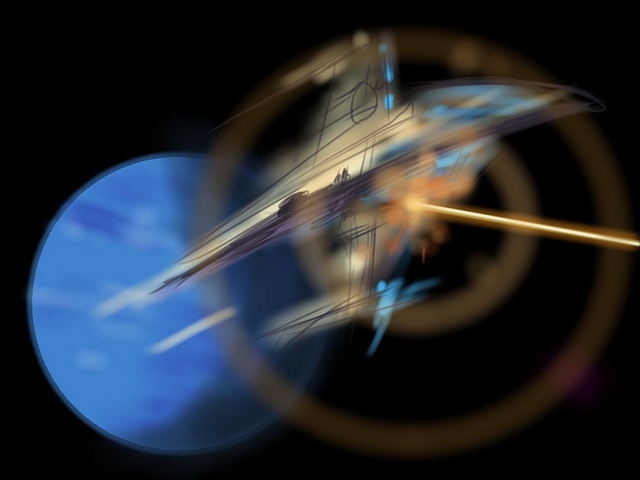
    Drawing and Illustrating on a tablet isn’t perfect, but I’m finding that it’s pushing my learning curve in a good way. I’ve set myself a series of goals, starting with “once good speed painting a day”, meaning something I’m willing to share. I spend between 20 and 90 minutes on any one of these, with some turning out better than others. Already I’ve noticed a tendency to stick with similar color tones and patterns, as well as drawing tools provided by the apps. I don’t mind so much that the theme remains science fiction / astronomy related for now, I’ll be tackling other subjects once I detect that I’m slowing down.

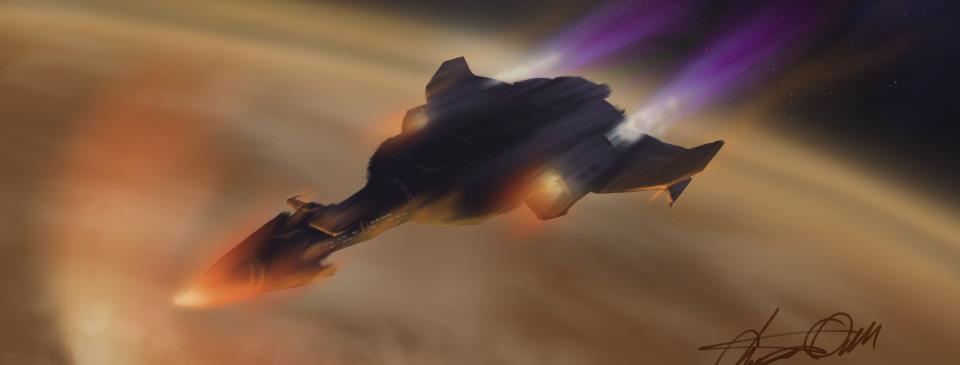
    Speed Sketch – some spacecraft

    I’m even happy with flat-out copying artwork that I’ve enjoyed – like the image above, which was painted using the cover of the book SPACE ART by Starlog Press (old, old book). I’ve always enjoyed the book’s Saturn painting, and needed a break from blue-tones (didn’t get away from them entirely, but it was a good way to learn some new tricks).

    For now I’m sticking with these sketch-level paintings, and having fun with the process. But I’m feeling the need to tackle some of the pieces I’ve listed for the next level – something I’d be happy to print and/or sell.

    * UPDATED – I’m finding that I turn to SketchbookPro with the Adonit Jot Pro Stylus for more technical illustrations, and Procreate with the Wacom Bamboo for free-form illustrations. For both the apps, and the pens, each seems suited to a specific role, meaning I’ll be toting both along for a while.

  • My First Astrophotography with a Telescope

    My First Astrophotography with a Telescope

    Up until yesterday all of my star photos have been taken with my Canon 40D mounted on a tripod. I�ve read enough to know you can get fantastic images with just your DSLR, without a telescope. And in the process you learn a lot about exposure times, settings, and post-processing.

    Last week I stepped up to a Celestron C8, a Schmidt-Cassegrain telescope with an 8-inch mirror. My thanks to the Seattle Astronomical Society for offering equipment check-outs to members. Exciting as it is to try out a great telescope, my family was thrilled to check out the moon the first night we set it up. That�s Jessica, eight years old, who just finished frosting the birthday cake for my wife Stephanie.

    The Moon

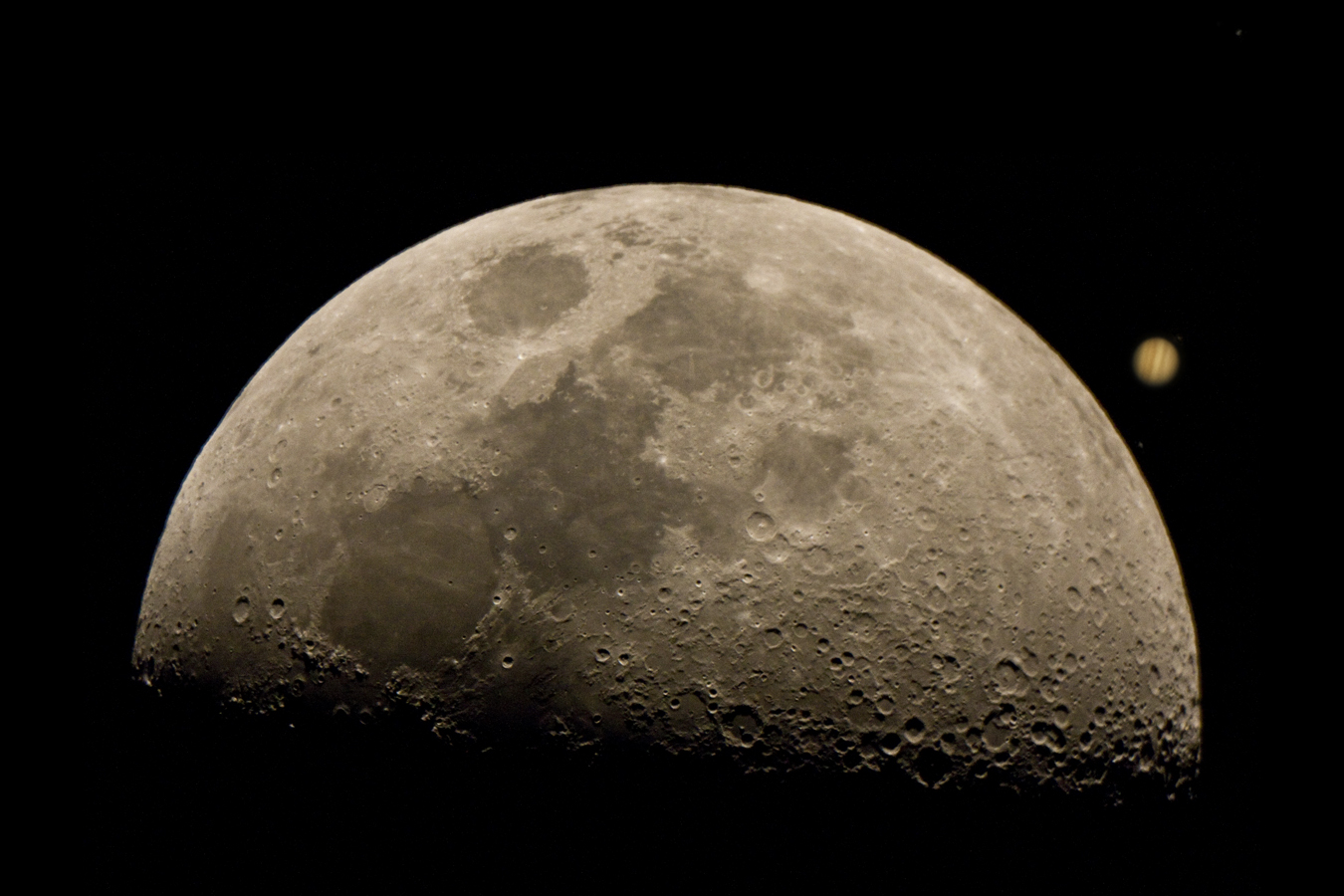
    September 22nd, 2012 was the International Observe the Moon Day, and here we were observing the moon. The moon was nearly a full quarter, with a great view of the crater shadows along the terminator. After taking turns being blown away by the moon at dusk, I took out my camera with the appropriate telescope adaptor. Lining up such a large, bright target wasn�t nearly as challenging as trying to capture stars without a telescope. But I took 60-plus photos anyway, bracketing settings, focus, and playing with the composition.

    Of all the photos, this view was my favorite and I present it to you with minimal post-processing in Photoshop. What you see below is almost exactly as it was shot. I did adjust the brightness and contrast only slightly, and framed it for composition:


    Jupiter

    I spent the rest of the evening fighting with hazy viewing conditions, enjoying the stars that I could see. Around 2:30am, already far later than I�d planned on staying up, this showed up over the trees:


    I grabbed my camera, and set about taking photos. By now I�d already moved the telescope to a clearer spot in my backyard which meant I had ruined my polar-alignment (the telescope was no longer aimed at the Earth�s point of rotation, meaning it would be difficult to track any object easily with the built-in motor). Undeterred, I went back to settings I�d learned while shooting stars without a telescope. Short exposure times, lots of them, stack and process the images later.
    I took over twice as many individual pictures of Jupiter than I�d taken of the Moon � over 120. I could get ten photos shot before having to re-center Jupiter in the viewfinder � the Earth�s rotation is far more obvious when looking through a telescope. From those, I was able to do a first pass at processing the picture you see above, with ten of the best shots.
    I�m quite happy with what I�ve accomplished so far, recognizing this is all part of a long learning curve. Next time it�s polar tracking and hopefully, with clear skies, some deep sky objects

  • Start the clock…

    Start the clock…

    Starting in 2009 I began taking a new look at my career as a User Experience Designer, analyzing my own motivations and noting the types of projects that drew my undivided attention, and the ones that were unbearable. I had the opportunity to try different User Experience Design jobs, in a variety of organizations from a start-up, to a world-renown digital agency. In only a couple of years I worked on a lot of exciting projects, across multiple platforms. I designed my first mobile apps, a wonderful hotel website, and even got my hands into hardware design again.

    In the end there were, alarmingly, far more similarities between the projects I classified as exciting, and those that were pure drudgery with the difference being largely one of an organizational nature. Did the business or team support design as a discipline? Many claimed they did, some denied it, others embraced it. It’s not difficult to deduce which types of organizations I found less appealing. Not satisfied with the initial results, I extended the scope of my analysis to include my numerous, yet creative hobbies. There was a bit of overlap in the positives between my after-hours creative pursuits, and the design work that used up the rest of my days. This was re-assuring to me, as it’s likely that I’ll continue in my field for quite some time.

    In re-building my online portfolio, a task all designers must face on a semi-regular basis, I’ve decided it would be a lie of omission to show only my work as a User Experience Designer in the software industry. It’s not the whole picture of who I am, and what I do. And at the risk of diluting my brand as a UX Designer, I’ve decided to include some of the other kinds of work that I’ve done. I’ll keep the focus on creative projects, and share as I go. Welcome aboard.