Tag: iPad

  • Book Cover Art Exercises

    Book Cover Art Exercises

    Winding into Fall of 2015, I have been taking my design sketches into more finished pieces. As fun as it’s been creating my #spaceshipaday entries, it’s clear that I also need to demonstrate more finished work like the ones I’m showing here. I set out with several goals for these drawings:

    • Draw something that would make me want to read this book (clearly from a science fiction aspect)
    • Tighten up details from my original sketches, while embracing my somewhat chaotic style
    • Practice more subtle use of color tones (often my color work stays a bit too saturated).
    • Most important – keep sharing work with the world and show people what I can do even though I already have several book covers out in print already.

    The first two pieces started out as #spaceshipaday line and marker drawings that garnered a lot of compliments and attention through Twitter, Instagram, and on Facebook. My thanks to you all who’ve been following along. I appreciate the comments and compliments I’ve received so far.

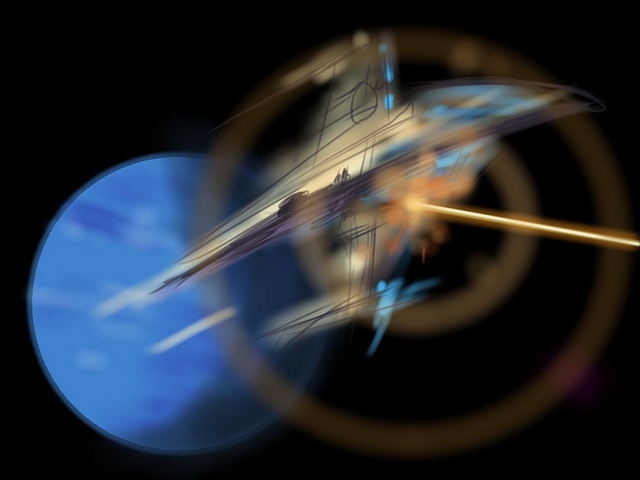
    Original Sketch for the John Berkey styled ship
    Original Sketch for the John Berkey styled ship
    Color pass and extra detail using Photoshop and a Wacom Intuos Stylus
    Color pass and extra detail using Photoshop and a Wacom Intuos Stylus

    Clearly influenced by my love of John Berkey’s artwork, I wanted to draw something that had the same amount of crazy and wonderful details as his work. Since I’ve time-boxed my initial sketches (45 minutes or less), it’s actually tricky to get in a lot of detail especially if you’re trying to make it fit in some fashion with the rest of the ship. Overall I was happy with the concept, although some pointed out that it’s starting to look like the spaceship from the Coneheads movie, or maybe even Colonial One from Battlestar Galactica (the new show). Influences aside, my focus was more on the process.

    The sketch was photographed and taken into Photoshop where I gave it a quick color pass (above). As of this writing, it is still unfinished, I’ll post the final in my Gallery.

    Heavy Transport in a deep atmosphere. Rendered with Procreate on an iPad
    Heavy Transport in a deep atmosphere. Rendered with Procreate on an iPad

    This next image was also quite popular as a sketch, this time I stepped more into Chris Foss territory. I tried to leave the atmosphere fairly bland compared to the ship itself, although looking at it now I think it could be even more diffused. I realize I’ve left in many of the lines from my original sketch. To me this is still one stage away from being a final cover art piece and my focus has been on trying to achieve an emotional impact with the design and rendering.

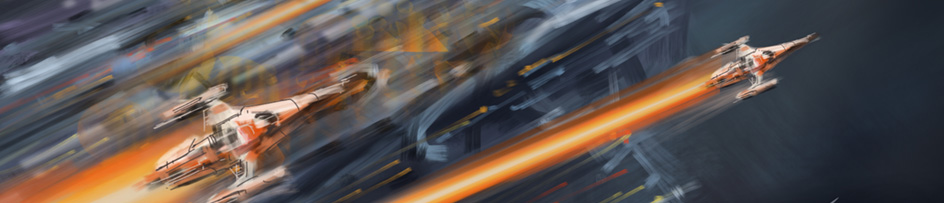
    Speed Chase - no sketch, entirely drawn with Procreate on an iPad
    Speed Chase – no sketch, entirely drawn with Procreate on an iPad

    Finally there’s this fun piece that was created entirely in Procreate on my iPad. There was no sketch. Sometimes everything comes together all at once and it all becomes a joy to witness. This is one of those moments where I just let my hand run free with only my artistic lizard brain at the controls. I don’t know of any other way to describe it but everything from the color, composition, and the frenzied style seemed to fit together nicely without a lot of effort. I would be inclined to read this book if I saw it in the store.
  • Digital Sketches

    Digital Sketches

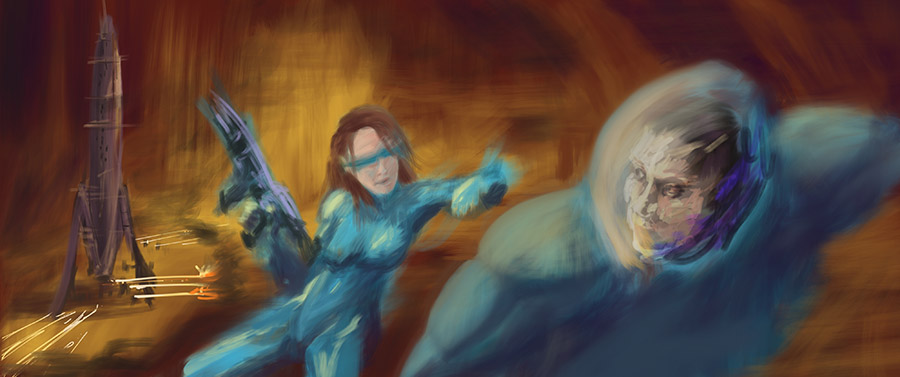
    While clearing off some space on my iPad, I found a bunch of sketches that I’ve never posted. When I sit down to paint, I always warm up with some sketches. Doesn’t matter if I’m working in a digital format or traditional media. The warm up helps me get into the groove.

    Sometimes these sketches take on a life of their own and become finished pieces. Other times I just lost interest or the idea didn’t quite gel the way I wanted. And some of these were merely an exercise to try out a style or trick. As I look back over the last year, I’ve probably spent too much time in the quick sketch stage but it’s helped me knock off the rough corners here and there.

    So here’s a gallery of quick studies to enjoy:

    Sketch Gallery

  • Drawing and Painting on an iPad3

    Drawing and Painting on an iPad3

    I recently received an iPad3, a thoughtful and quite surprising birthday gift from my lovely wife Stephanie and our daughters Allison and Jessica. That I’ve not yet owned a tablet of any flavor has more to do with shrinking gadgetry budgets, not from a lack of interest.

    I’d convinced myself that drawing on an iPad wouldn’t be nearly as rewarding or effective as the wonderful (yet very expensive) Wacom Cintiq line, which I also have not tried out. How wrong was I? Wrong enough to wonder out loud “why didn’t I get one of these sooner?”

    I quickly tried out a few of the more popular drawing apps, settling on SketchbookPro and Procreate. Both are powerful enough to let me cut loose with some speed paintings, which allow me to learn the tools quickly while not getting bogged down in fine details that would otherwise derail my efforts.

    The trick to drawing with a tablet is to find a good stylus, a pen designed to work with the capacitive touch screen. None of these provide nearly the level of control or performance of a decent Wacom tablet of any flavor, but many give you more than enough control to have a lot of fun. And to have such tools in a small, comfortable form-factor like a tablet makes for a highly convenient art studio at your fingertips.

    Luckily for me, I work with a group of User Experience Designers who have already tried out a number of stylii for these tablets. Most feel like you’re drawing with an eraser, although it’s much better (in my opinion) than trying to paint with your fingertips. We’ve had fun trying them all out:

    So far, I’ve rather liked the Wacom Bamboo stylus, although the spongy rubber tip means that you really cannot be bothered knowing exactly where your marks will land on the screen. Sure, it will be within the 1/4″ or so area that the tip covers, depending on the angle. I find these are best for loose, impressionist styles.

    The Adonit Jot line takes a different approach, giving you a clear disc on the end of the pen. You can see much more of your drawing contact point, making it a far better tool for precise drawing.

    In both cases, the more traditional pen-sized stylii work better for drawing than the smaller, more portable ones. Next I will be trying one of the new, pressure-sensitive Pogo Connect Stylii but the price is making me hold off while I spend more time with the Bamboo and Jot.

    Drawing and Illustrating on a tablet isn’t perfect, but I’m finding that it’s pushing my learning curve in a good way. I’ve set myself a series of goals, starting with “once good speed painting a day”, meaning something I’m willing to share. I spend between 20 and 90 minutes on any one of these, with some turning out better than others. Already I’ve noticed a tendency to stick with similar color tones and patterns, as well as drawing tools provided by the apps. I don’t mind so much that the theme remains science fiction / astronomy related for now, I’ll be tackling other subjects once I detect that I’m slowing down.

    Speed Sketch – some spacecraft

    I’m even happy with flat-out copying artwork that I’ve enjoyed – like the image above, which was painted using the cover of the book SPACE ART by Starlog Press (old, old book). I’ve always enjoyed the book’s Saturn painting, and needed a break from blue-tones (didn’t get away from them entirely, but it was a good way to learn some new tricks).

    For now I’m sticking with these sketch-level paintings, and having fun with the process. But I’m feeling the need to tackle some of the pieces I’ve listed for the next level – something I’d be happy to print and/or sell.

    * UPDATED – I’m finding that I turn to SketchbookPro with the Adonit Jot Pro Stylus for more technical illustrations, and Procreate with the Wacom Bamboo for free-form illustrations. For both the apps, and the pens, each seems suited to a specific role, meaning I’ll be toting both along for a while.